.svg)
ResumeMD is a free online Markdown editor purpose-built for resumes. Like Dillinger, it loads right in your web browser, so there’s nothing to download or install. The layout is split into two panes: the Markdown editor on the left and a live resume preview on the right. You can pick one of 32 templates and export the result as a PDF without creating an account, and documents are stored locally in your browser by default.
ResumeMD supports GitHub Flavored Markdown through the react-markdown and remark-gfm processors. Because it is a resume tool rather than a general-purpose editor, headings carry structural meaning: the H1 becomes the resume name, H2s become section headers, and H3s become job titles. That focus also explains the gaps in the table below — raw HTML, heading IDs, and syntax highlighting are not supported, since none of them apply to a resume.
The Markdown editor, all 32 templates, and PDF export are free. A paid tier adds DOCX, HTML, and plain text export along with AI-assisted features.
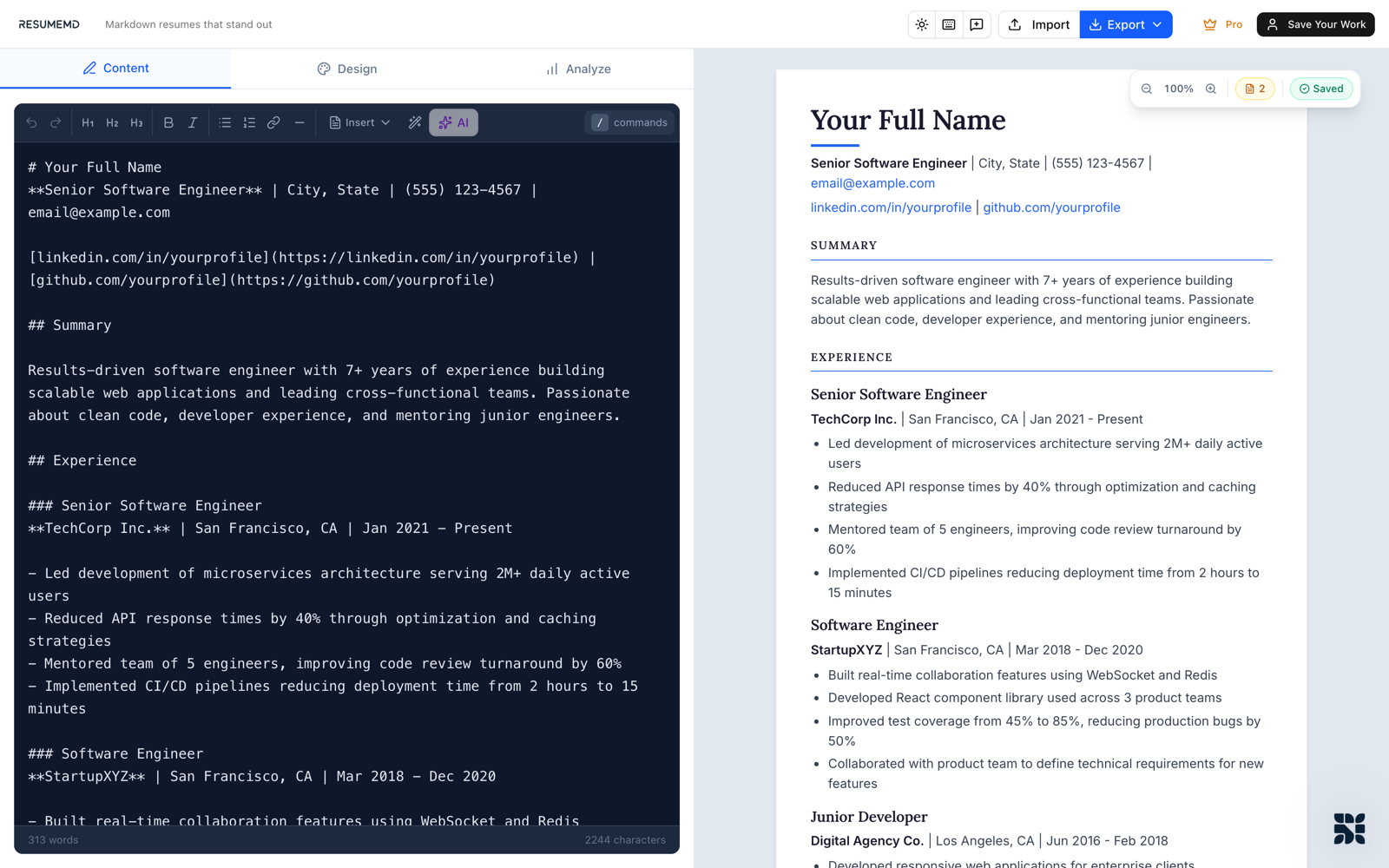
ResumeMD provides support for the following Markdown elements.
| Element | Support | Notes |
|---|---|---|
| Headings | Yes | Headings carry resume structure: the H1 is the name, H2s are section headers, and H3s are job titles. |
| Paragraphs | Yes | |
| Line Breaks | Yes | Use the standard syntax (two trailing spaces, or a backslash). Pressing Return once starts a new paragraph rather than a line break. |
| Bold | Yes | |
| Italic | Yes | |
| Blockquotes | Yes | |
| Ordered Lists | Yes | |
| Unordered Lists | Yes | |
| Code | Yes | |
| Horizontal Rules | Yes | |
| Links | Yes | |
| Images | Partial | Images render in the browser preview but are not included in PDF export. |
| Tables | Yes | |
| Fenced Code Blocks | Yes | |
| Syntax Highlighting | No | |
| Footnotes | Yes | |
| Heading IDs | No | |
| Definition Lists | No | |
| Strikethrough | Yes | |
| Task Lists | Yes | |
| Emoji (copy and paste) | Yes | |
| Emoji (shortcodes) | No | |
| Highlight | No | |
| Subscript | No | |
| Superscript | No | |
| Automatic URL Linking | Yes | |
| Disabling Automatic URL Linking | Yes | Wrap the URL in backticks to render it as code instead of a link. |
| HTML | No |
Learn Markdown in 60 pages. Designed for both novices and experts, The Markdown Guide book is a comprehensive reference that has everything you need to get started and master Markdown syntax.
Get the Book